.png)
Getting Started
Don't worry, here are some instructions on how to get started!
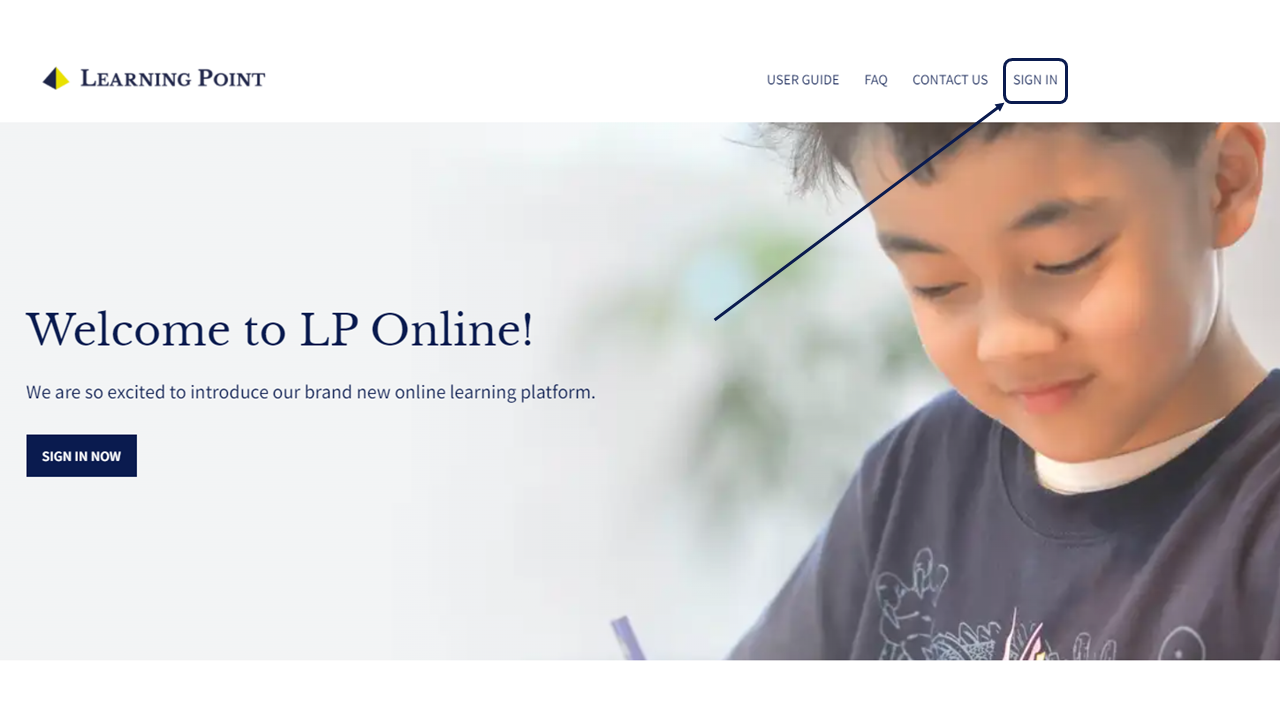
Click 'SIGN IN' and key in your email and password
Step 1A: Click 'SIGN IN'
Step 1B: Key in your email and password and click 'SIGN IN' 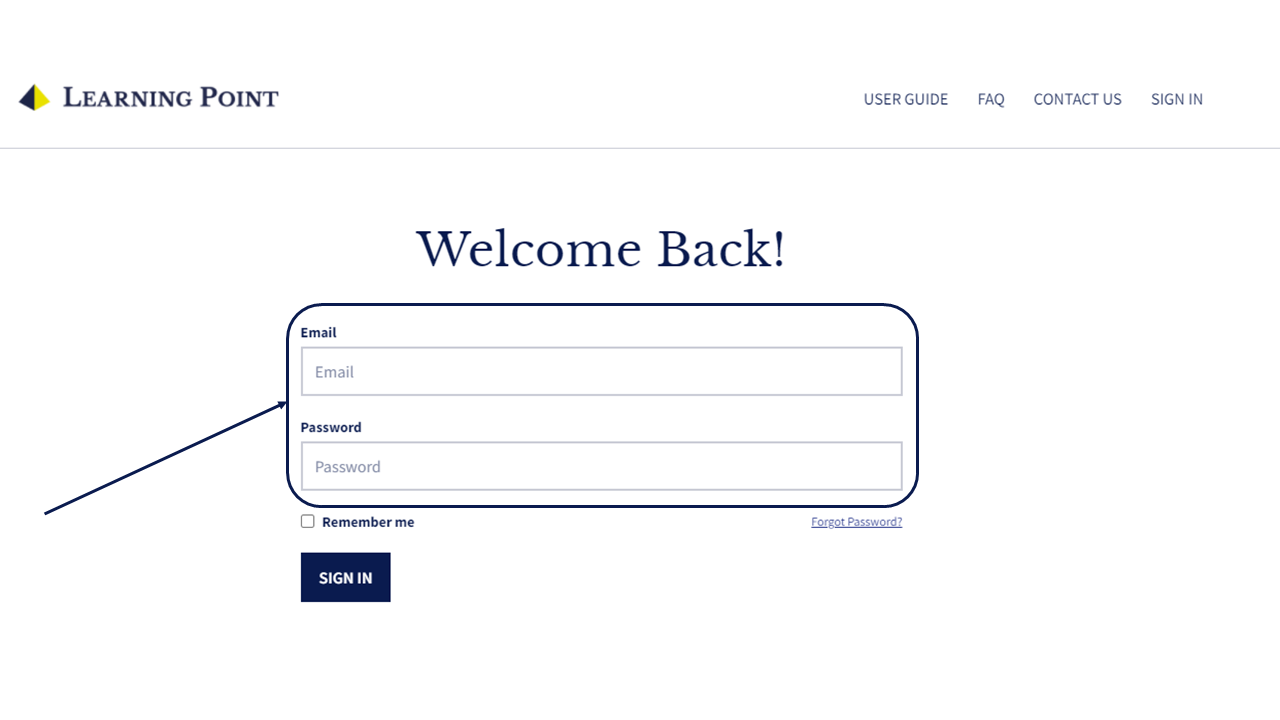
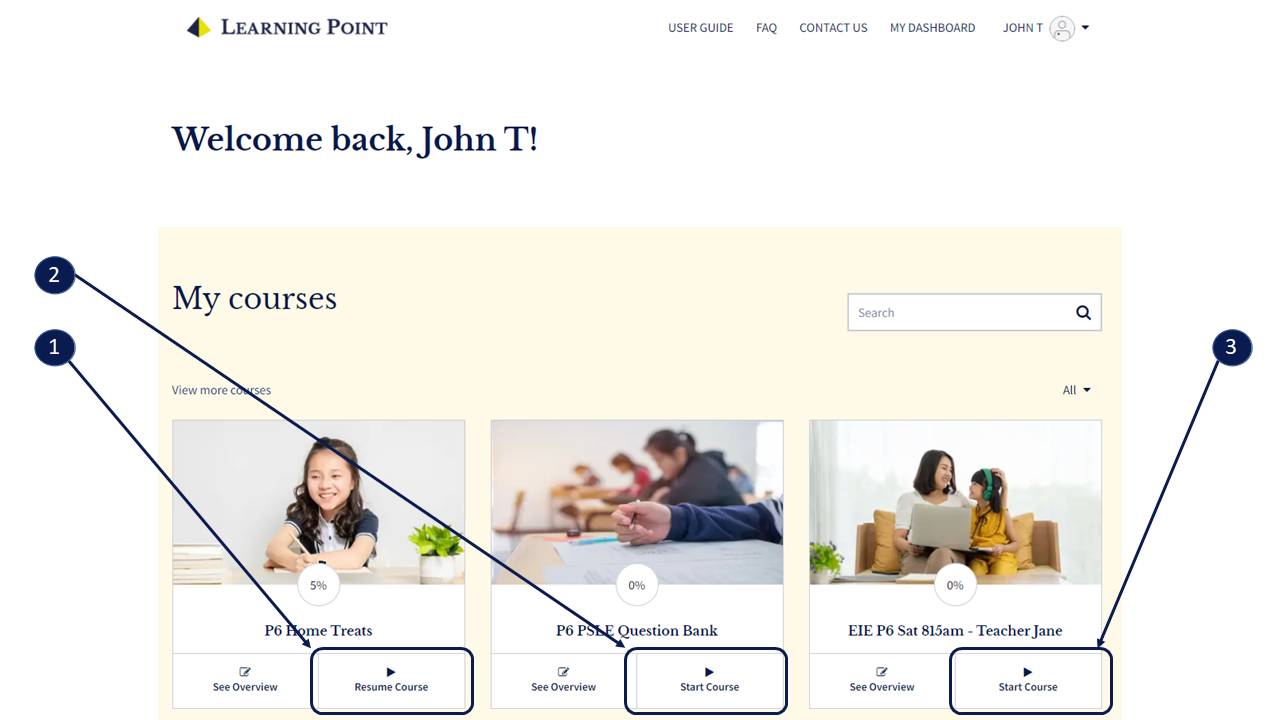
Access the materials by clicking the 'Resume Course' or 'Start Course' button
Button #1: Access your online Home Treats
Button #2: Access the Question Bank for extra revision.
Button #3: Access your class Zoom link, printable worksheets and worksheet submission link.